sofalog

Work in progress · movies & TV usable today · games next

Your watch history, on your own server.

sofalog is a self-hosted, multi-user tracker for the movies, shows and games you watch and play. One Go binary with an embedded Svelte web app and a SQLite database, run behind your own reverse proxy. Metadata comes from TMDB (and Steam for games), but your library — the text and the artwork — is stored where you are, so it keeps working even when the provider doesn't.

sofalog's Up Next page: a grid of show posters, each with the next unwatched episode named beneath it.

Local-first

The library is yours, not a cache of someone else's

Everything is stored locally

Every tracked title keeps its full metadata snapshot — description, runtime, air dates, genres, cast — and its artwork at two sizes, in your database and on your disk. Back up one directory and you have backed up the app.

Works when the provider doesn't

No page calls TMDB to render. The provider is asked something only when you search, track a title, or a scheduled refresh runs — and a stale snapshot is served rather than an error.

Private by default

Every account has its own history, ratings and lists. Nothing is shared unless a user opts in; the one exception is matching watchlists, which shows only the overlap with your own.

Features

What it does

Up Next

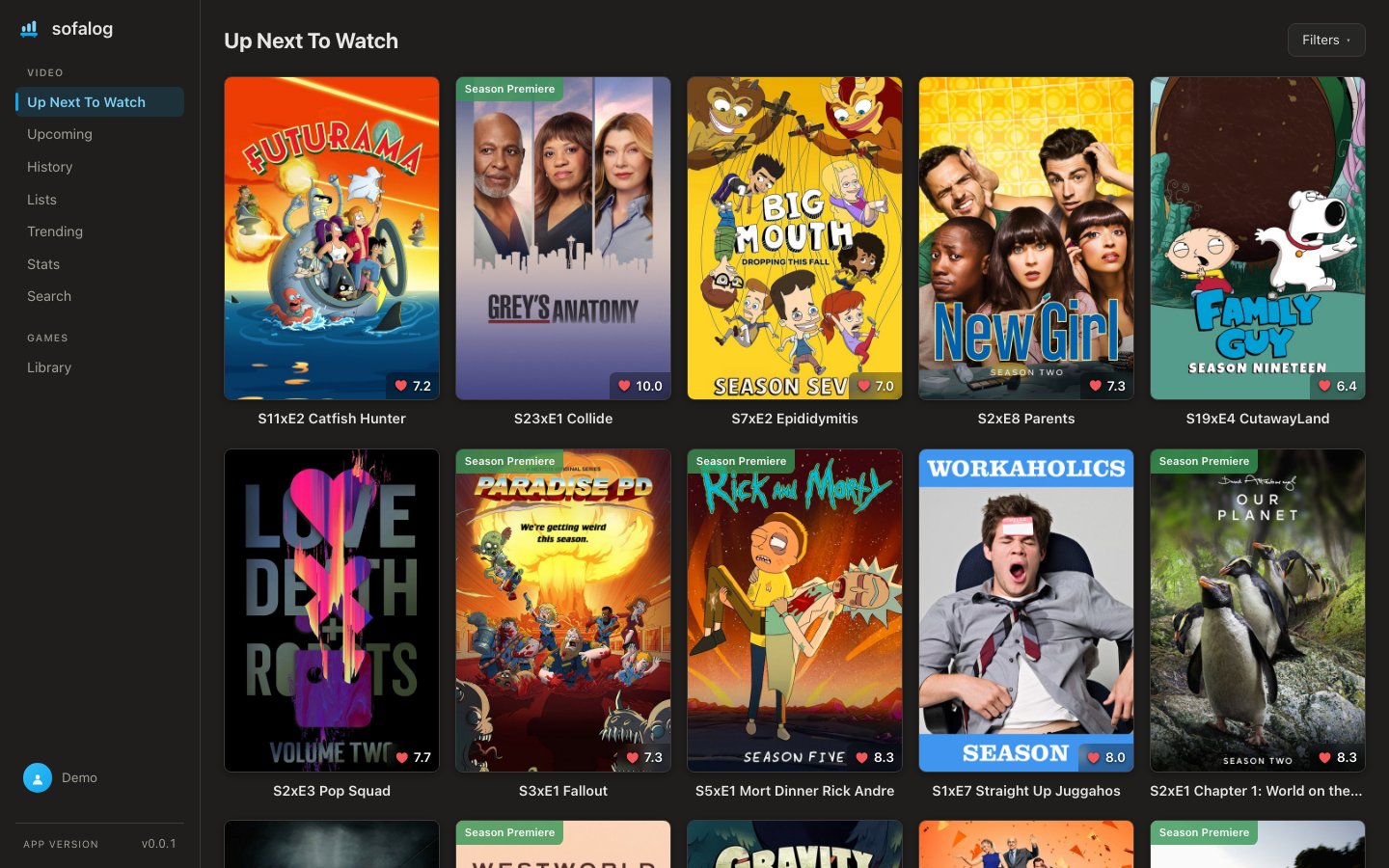
Every show you have started, with the next unwatched episode one tap away. Season premieres are flagged, a next episode that has not aired yet wears an Upcoming badge, and tapping a card logs the watch — the date and an optional rating in one go — without leaving the page.

Up Next: posters for Futurama, Grey's Anatomy, Big Mouth and others, each labelled with the next episode to watch.

Upcoming

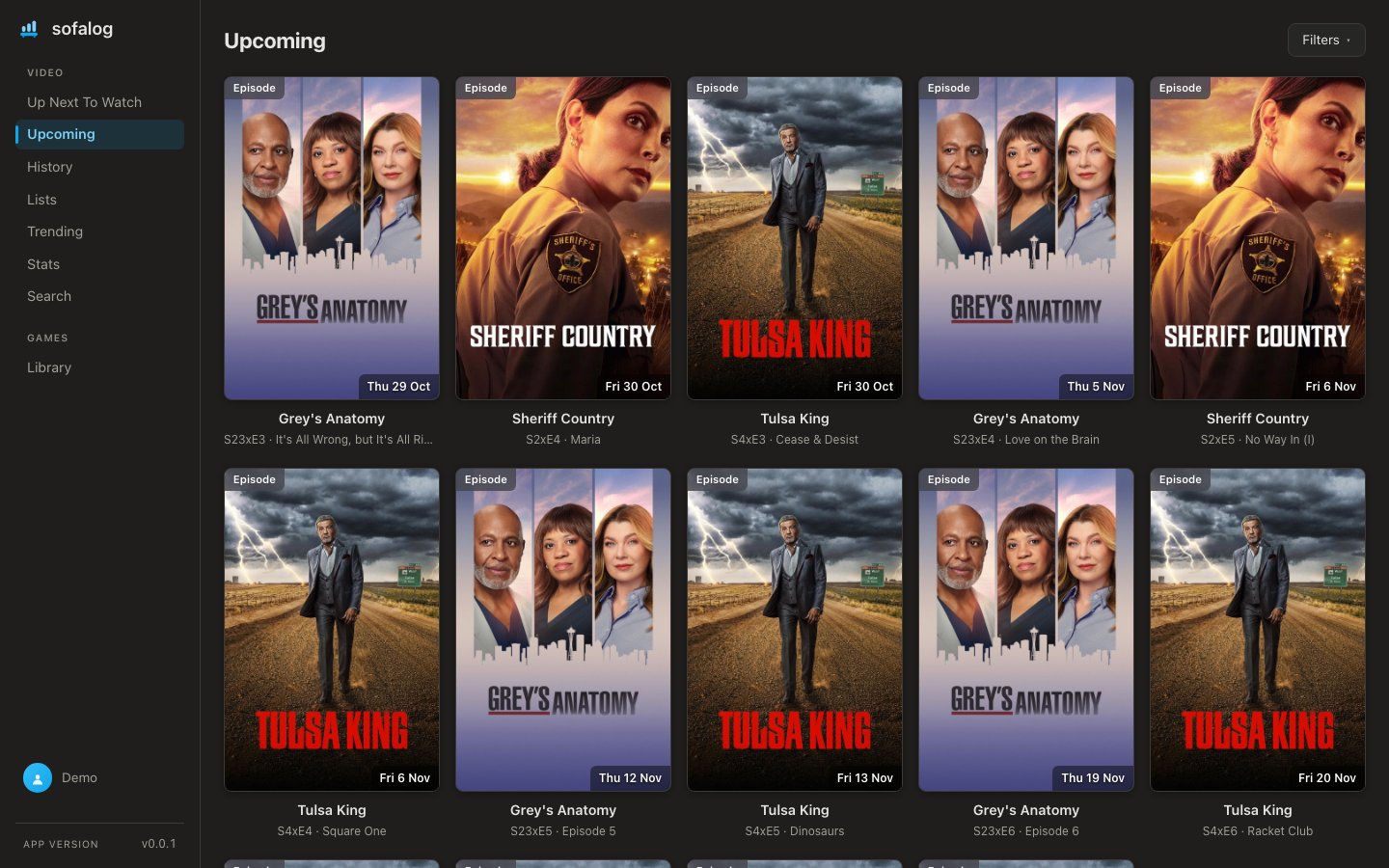
A calendar of the episodes and movies you are waiting for: every unwatched, dated episode of a show you follow or have on your watchlist, plus watchlisted movies by release date. Today counts, and the day is yours — every date is computed in your time zone.

Upcoming: a grid of episode cards in date order, each poster wearing its air date in the corner.

Show pages that track, not just describe

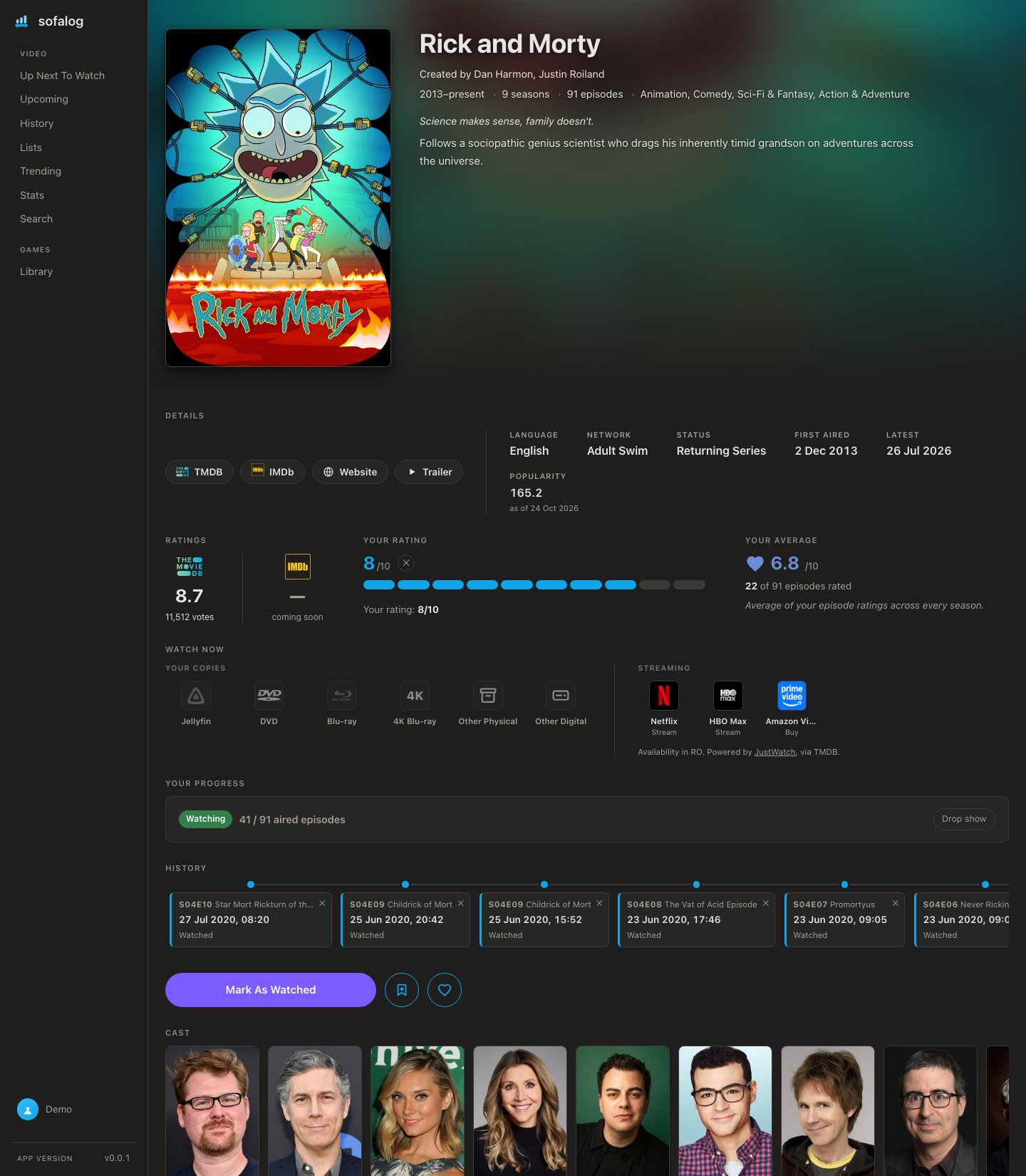
Progress against aired episodes. A dated history where rewatches and backdated watches are first-class and a mis-tap can be removed. Your rating next to TMDB's, and the average of your episode ratings per season and per show. Where it streams in your country, which formats you own it on, and a Drop show button for the ones you gave up on.

Show details for Rick and Morty: ratings, your copies, streaming services, a progress bar reading Watching 41 of 91 aired episodes, a history timeline and the cast.

The same for a movie

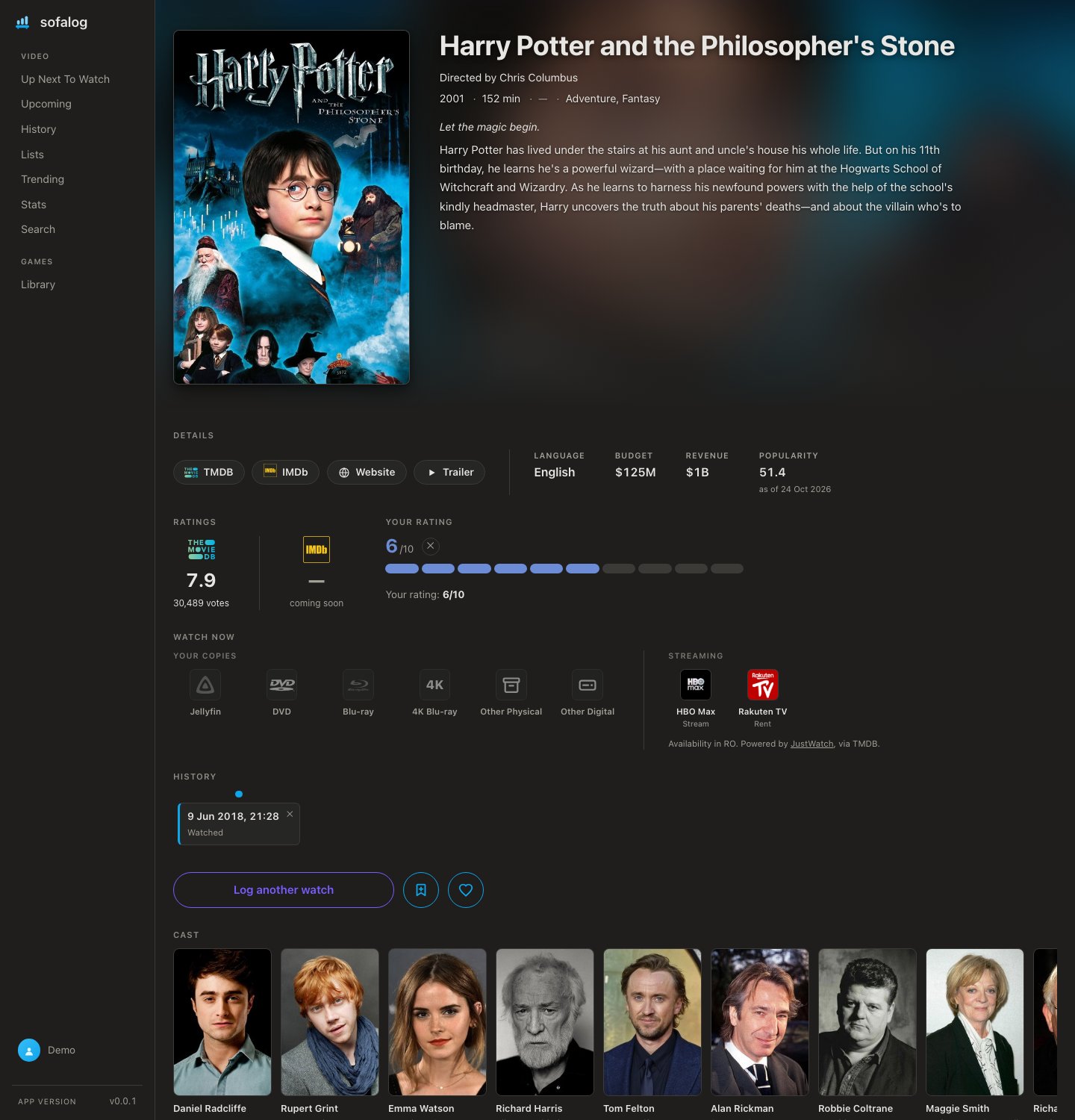
TMDB's score beside yours, where it streams or rents, the copies you hold, every viewing as its own dated entry — so a rewatch is Log another watch, not a toggle — the cast with a page per person, and a rail of similar titles.

Movie details for Harry Potter and the Philosopher's Stone: your rating of 6 out of 10, streaming on two services, one watch in 2018, a Log another watch button and the cast.

Lists

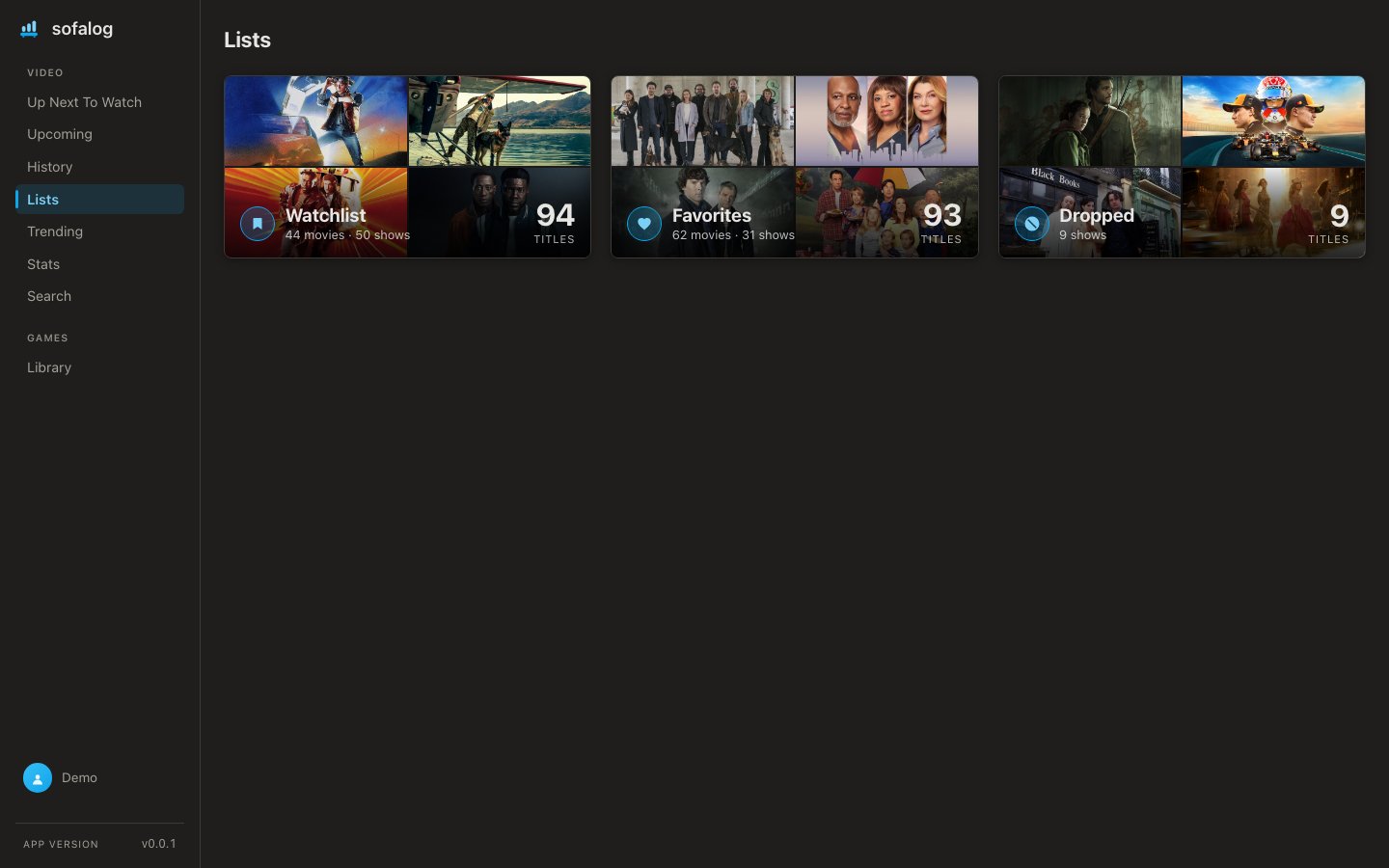
A watchlist, favorites and dropped shows — three lists, each a separate axis from watch status. A film can be watchlisted and half-watched at once; a favorite is never a status. Movies and shows sit interleaved, sorted and filtered in one place.

Lists: three banner cards — Watchlist with 94 titles, Favorites with 93, Dropped with 9 — each backed by a collage of backdrops.

Stats

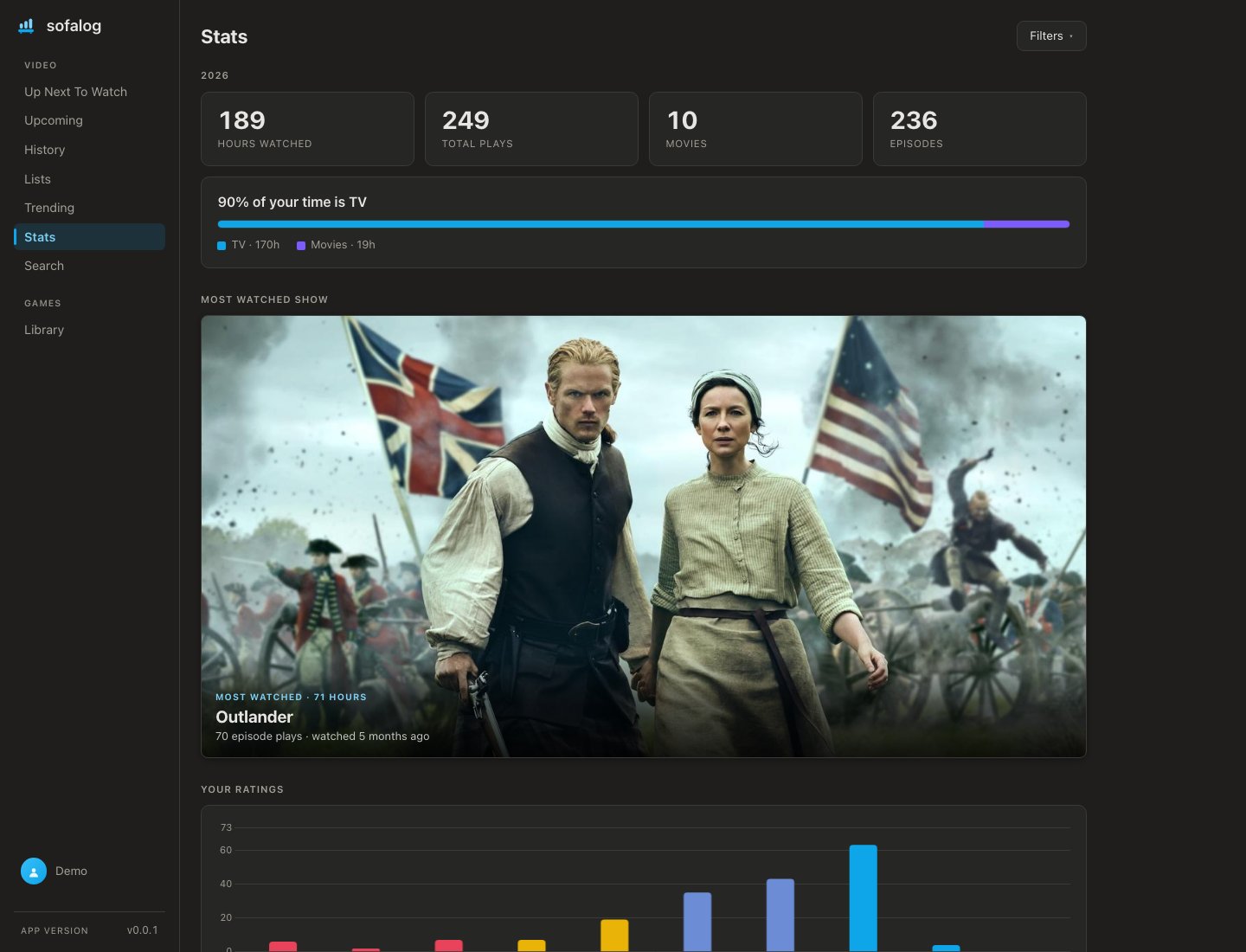
Hours and plays, your TV-versus-movies split, the most-watched show, a histogram of your ratings, genres, streaks and the titles still waiting for a rating — for a year or for all time. Your own numbers only; nothing is compared across accounts.

Stats for 2026: 189 hours watched, 249 plays, 90 percent TV, Outlander as most-watched show and a ratings histogram.

Trending and Discover

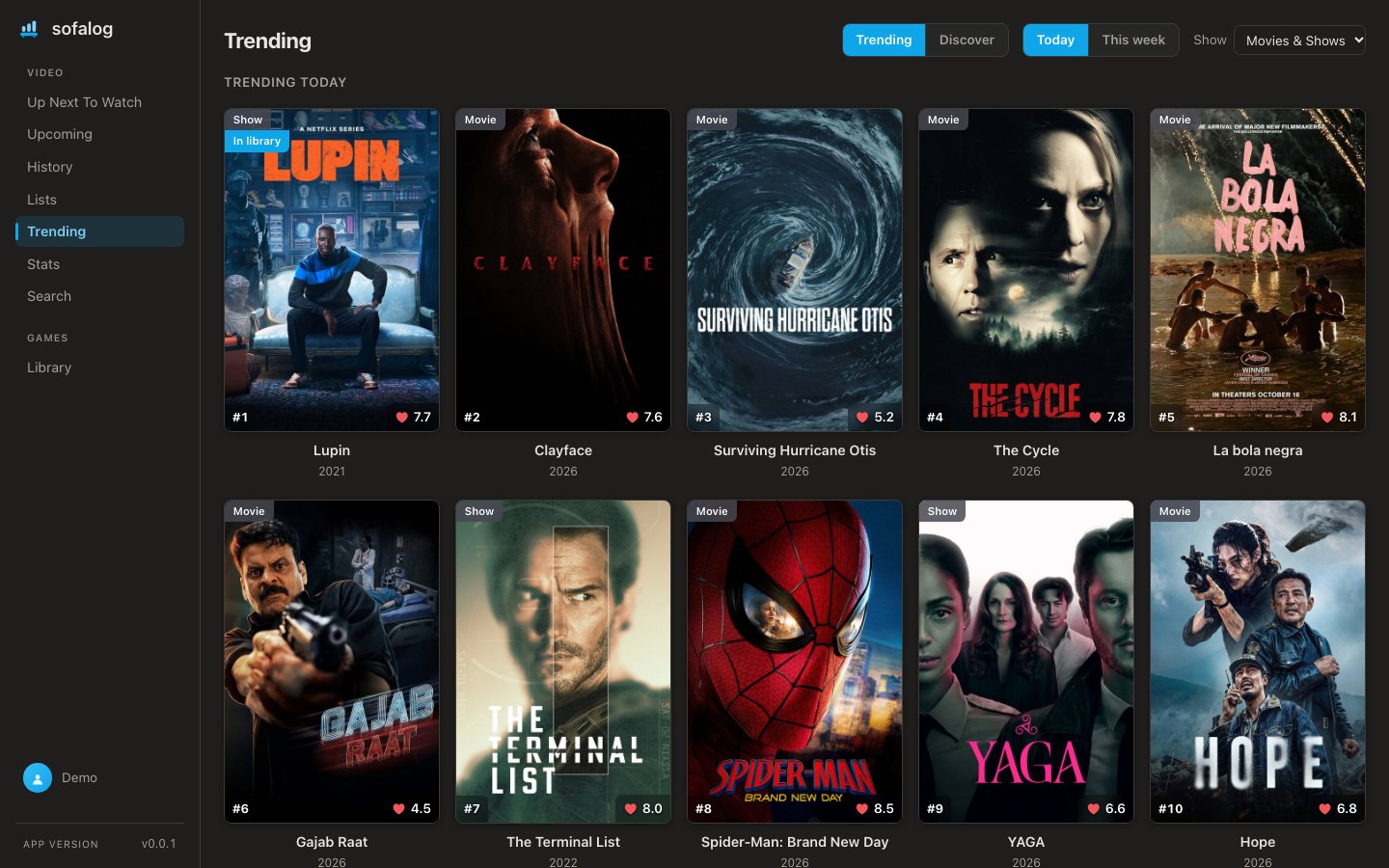
TMDB's trending lists for today or this week, and a Discover page you can filter by genre, rating, vote count, year, language and streaming service — with the titles already in your library marked, so you can see what you have not seen.

Trending today: ranked movie and show posters, the first one carrying an In library badge.

In your pocket

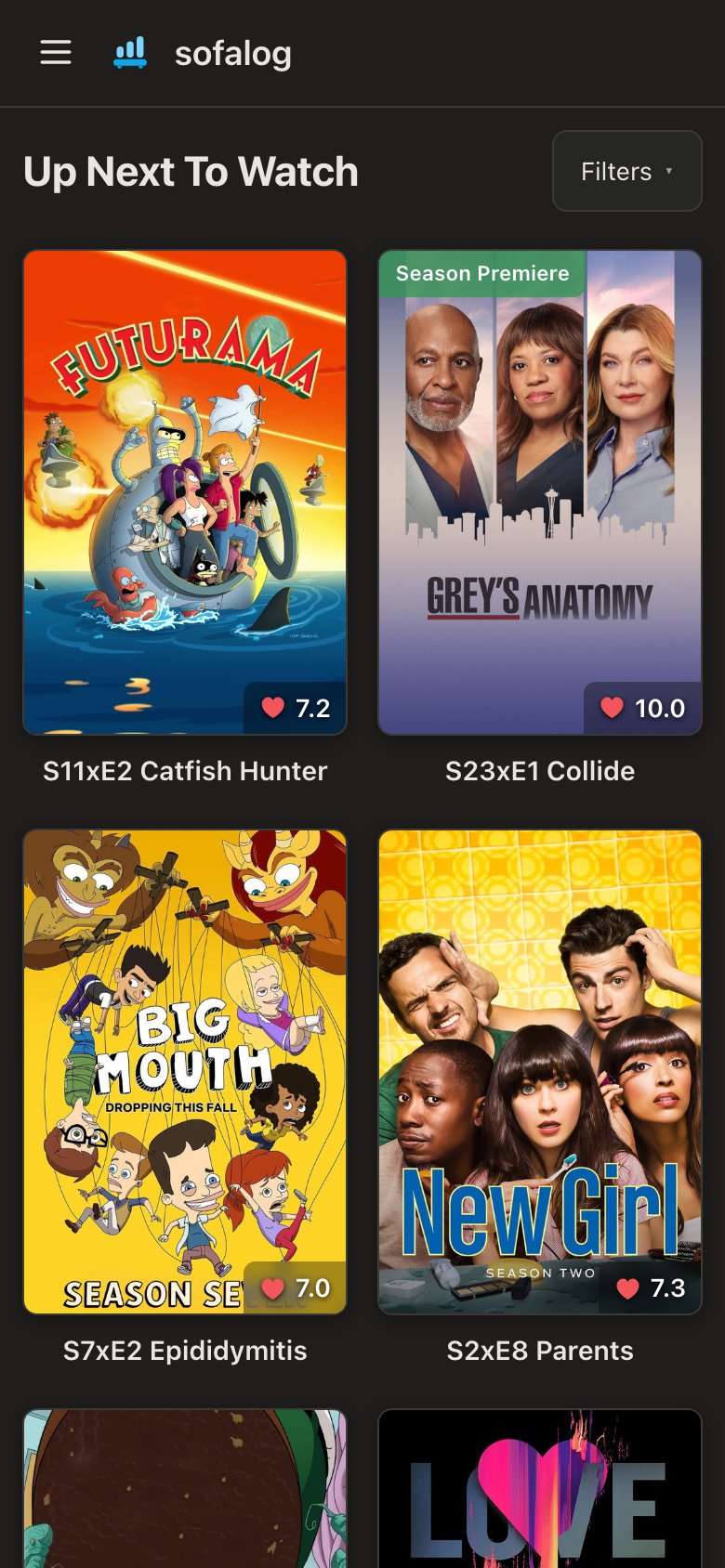
sofalog is a progressive web app. It installs to a phone's home screen from your own address, lays out for every width from a phone to a wide desktop, and keeps the one tracking button sized for a thumb.

Up Next on a phone: two columns of posters under a hamburger menu and a Filters button.

Also in the box

The rest of it

TMDB account sync

Ratings, watchlist and favorites pushed to your own TMDB account, one-way, from a queue that never holds up a request. On setup you can pull the account's lists in once.

Jellyfin

Point it at the household's Jellyfin server and the Jellyfin copy tile mirrors what the server actually holds — amber when a season is there but incomplete.

Ticket Box restore

Import a Ticket Box export so an existing Trakt-based history, with its ratings, watchlist and favorites, comes along. Re-running the same file converges.

Sign-in your way

Email and password, or OpenID Connect against the provider you already run. Each user picks their own time zone.

Scheduled refresh

Followed and watchlisted titles refresh weekly, finished ones quarterly, and an hourly sweep flips a finished show back to watching once a new episode has aired.

People and similar titles

Every cast photo opens a person page with their filmography marked against your library, and each movie and show carries a rail of similar titles.

Owned copies

Record which formats you hold a movie or a season on — DVD, Blu-ray, 4K, other physical or digital — as a shelf label beside the streaming list, never a status.

One binary

Go backend, embedded Svelte app, SQLite. Plain HTTP behind the reverse proxy you already have; the published image runs on amd64 and arm64.

Run it

Up in three commands

You need Docker with the Compose plugin and a free TMDB API key. Without a key the app runs, but you cannot add titles.

git clone https://github.com/mbyte-labs/sofalog.git && cd sofalog
cp env.example .env

Open .env and set BASE_URL to the address people will reach the app at, and one of TMDB_API_KEY_V3 / TMDB_API_KEY_V4. Then:

docker compose up -d

Browse to http://localhost:8080. The first visit is the setup page, which creates the admin account; everyone else is added under Settings → Users. Everything the app stores lands in ./data next to the compose file — back that directory up and you have backed up the app. Upgrading is docker compose pull && docker compose up -d.

The variables most installs set

Variable What it does
BASE_URL Required. The absolute URL users open, e.g. https://media.example.com.
TMDB_API_KEY_V3 / _V4 TMDB credential — set one.
TMDB_WATCH_REGION Country for "where to watch" listings (US by default).
DEFAULT_TIMEZONE Zone for users who have not picked one (UTC by default).
TRUSTED_PROXIES Your reverse proxy's address, so the real client IP is seen.

Every variable — refresh intervals, the Jellyfin scan, OpenID Connect, how .env is read — is in the configuration reference. Put a TLS-terminating reverse proxy in front (Caddy, nginx, Traefik): HTTPS is what makes the app installable as a PWA. The architecture overview shows the runtime shape and how the code is laid out.
Where it stands

Movies and TV today, games next

Movies and TV are usable today. Games — your Steam library, hours played and achievements — are the current milestone; an export archive and API tokens follow. The whole plan, and the reasoning behind each decision, is in SPEC.md.